
Kripton Theme For Windows 10
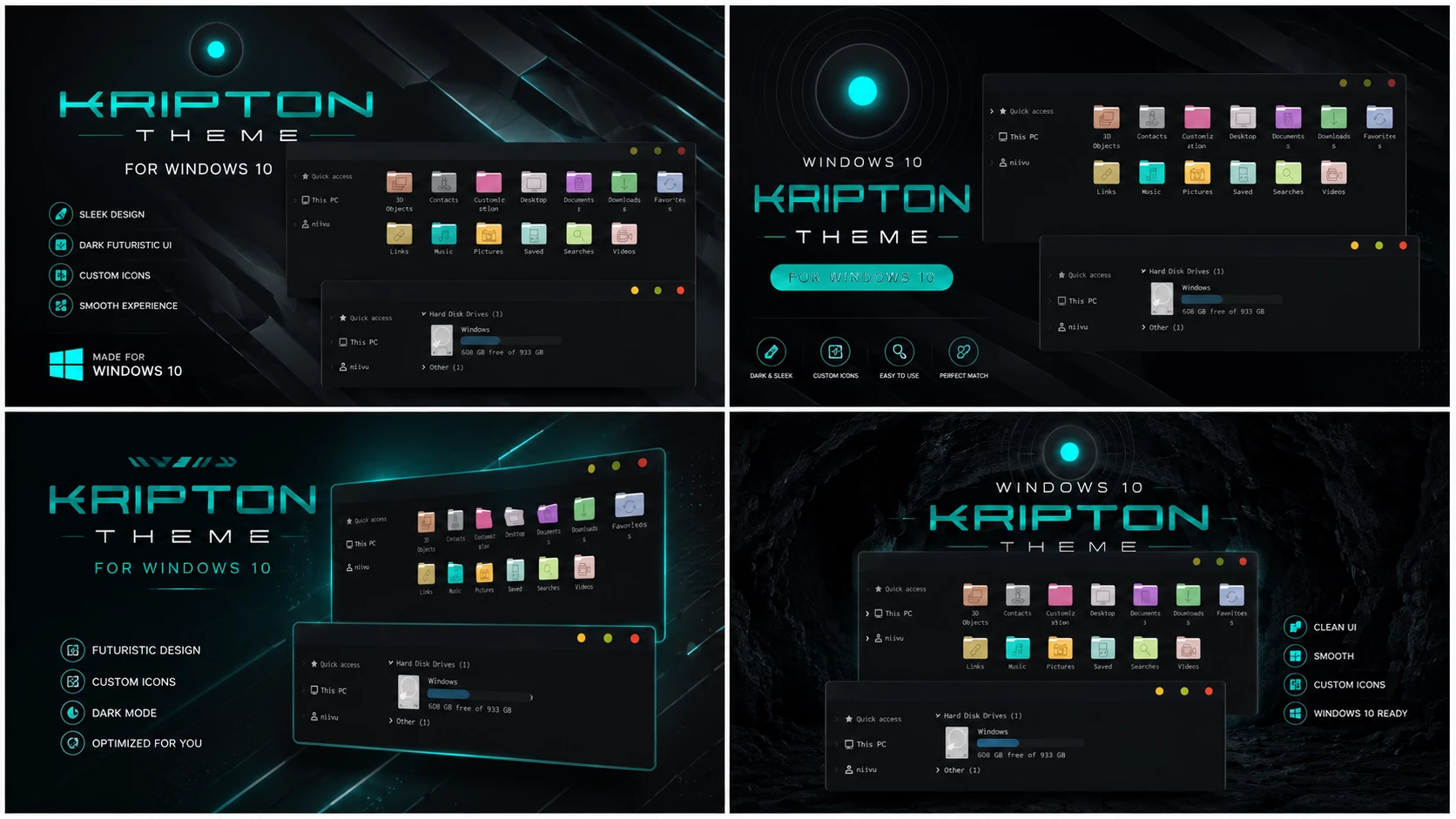
The Kripton Theme For Windows 10 is a futuristic and visually impressive Windows customization theme created for users who enjoy cyber-style desktop setups. With its dark interface, neon-inspired accents, and modern UI design, this theme transforms the standard Windows 10 appearance into a sleek and high-tech workspace.
Kripton Theme For Windows 10 Designed with a strong focus on modern aesthetics, the Kripton Theme combines deep dark backgrounds with vibrant highlight colors to create a premium desktop experience. Whether you are a gamer, content creator, programmer, or customization enthusiast, this theme can give your Windows 10 desktop a fresh and unique look.
Theme Overview
The Kripton Theme For Windows 10 is inspired by futuristic user interfaces often seen in science-fiction movies, gaming environments, and advanced technology concepts. It redesigns various Windows interface elements to create a cleaner and more immersive desktop experience while maintaining usability and performance.
Unlike traditional Windows themes that focus on simple color changes, Kripton introduces a more complete visual transformation. Window borders, menus, taskbars, and other interface components are redesigned to create a consistent and modern appearance across the system.
Key Features of Kripton Theme
- Futuristic cyber-inspired Windows 10 design.
- Dark visual style with neon accent colors.
- Clean and modern user interface.
- Minimal visual clutter for better focus.
- Suitable for gaming, productivity, and creative work.
- Lightweight theme package for smooth performance.
Compatibility
This Kripton Theme For Windows 10 is designed for Windows 10. Before installing any custom Windows theme, make sure your Windows build version is compatible with the included files. Compatibility may vary depending on system updates and customization tools used.
- Windows 10
- Download & Install windhawk.
- install & Open Windows 11 Settings Styler
- Go to the Advanced tab
- Copy the content below and paste it into the text box and click “Save”.
- For more details, visit this GitHub guide
- For more Windhawk Styler, visit Check My Theme Category
What Is Included in This Theme?
The download package contains the essential files required to apply the Kripton visual style on Windows 10. Depending on the version, additional customization resources may also be included.
- Windows 10 Theme Files
Before You Install
Custom Windows themes may require theme patching tools or additional customization software. To avoid potential issues, it is recommended to prepare your system before installation.
- Create a system restore point.
- Verify your Windows version.
- Extract the ZIP file before installation.
- Scan downloaded files using antivirus software.
- Read included instructions carefully.
- Use only trusted customization tools.
How to Apply the Theme
- Download the Kripton Theme package.
- Extract the ZIP archive.
- Review any included documentation.
- Create a system restore point.
- Apply the theme using the recommended method.
- Restart Windows if required.
Why Choose Kripton Theme?
The Kripton Theme stands out because of its futuristic appearance and cyber-inspired design language. The combination of dark backgrounds and vibrant highlights creates a professional and visually engaging desktop environment without becoming overly distracting.
Users who enjoy gaming setups, modern workstations, or technology-inspired customization projects may find Kripton especially appealing. The theme offers a balance between aesthetics and usability, making it suitable for everyday use.
Performance and Usability
The Kripton Theme focuses primarily on visual customization and does not rely on heavy animations. As a result, it remains lightweight and responsive on most Windows 10 systems. Performance may vary depending on installed customization tools and system specifications.
For the best experience, keep Windows updated and avoid installing multiple visual customization packages simultaneously.
Troubleshooting Tips
- Restore the default Windows theme if display issues occur.
- Restart Windows Explorer if interface changes do not appear.
- Verify that all required customization tools are installed.
- Check theme compatibility with your Windows build.
- Use your restore point if problems occur after installation.
Important Disclaimer
RainXTheme provides Windows customization content for educational and personal use. The Kripton Theme is a third-party customization resource and is not affiliated with Microsoft.
Users install and use custom themes at their own risk. RainXTheme is not responsible for compatibility issues, software conflicts, data loss, or system instability resulting from incorrect installation or unsupported configurations.
Final Words
The Kripton Theme For Windows 10 is an excellent choice for users who want a futuristic, modern, and visually striking desktop setup. Its dark cyber-inspired design, clean interface, and lightweight performance make it a great option for anyone looking to refresh their Windows 10 experience.