
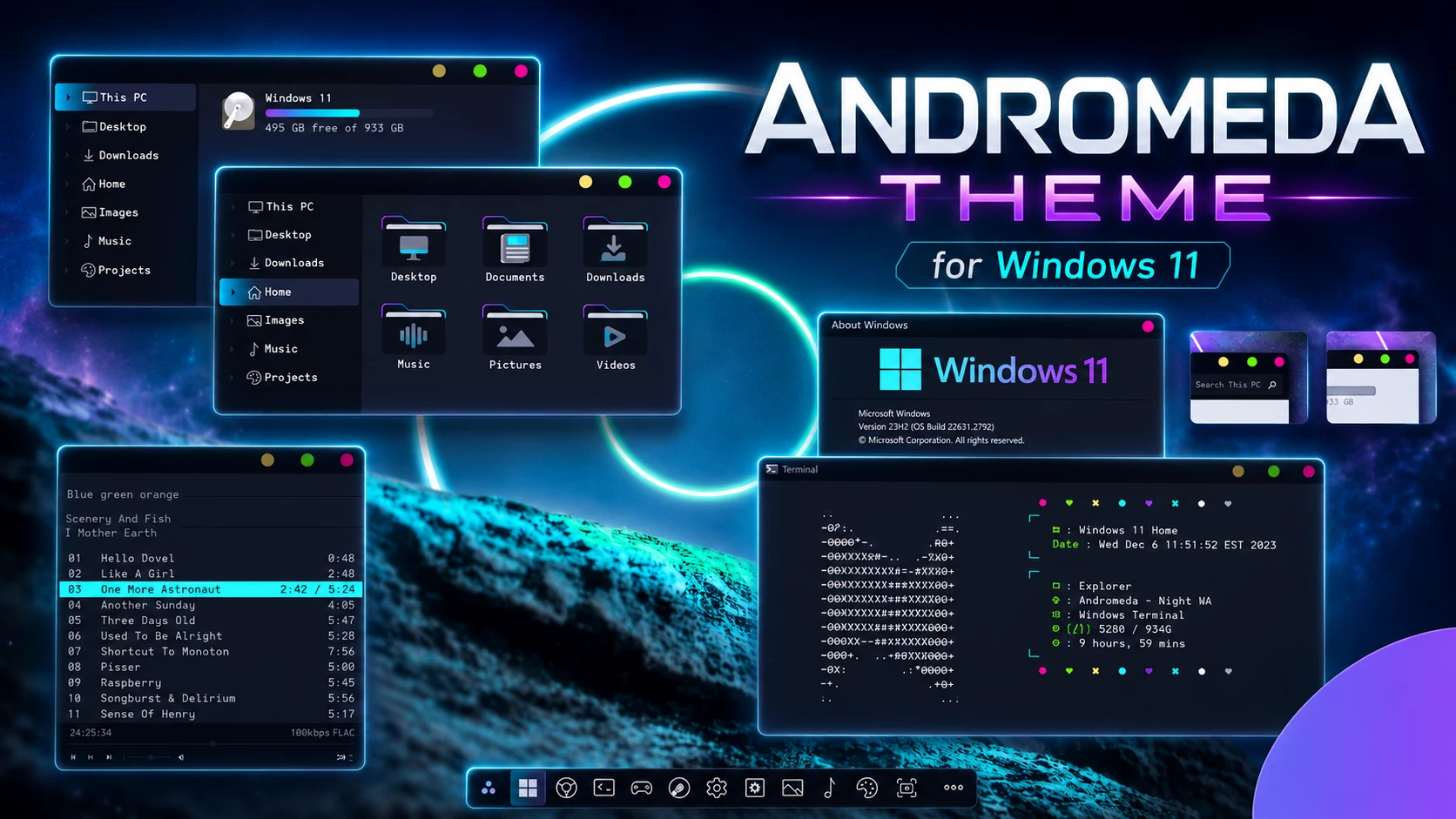
Andromeda Theme for Windows 11 – Clean Dark, Light & Night Style Desktop Setup
If you want to make your Windows 11 desktop look cleaner, more modern, and more premium, the Andromeda Theme for Windows 11 can be a very attractive choice. This theme is made for users who enjoy desktop customization and want something more stylish than the default Windows look. With dark, light, and night style options, Andromeda gives your PC a fresh visual identity while keeping the interface smooth, simple, and professional.
The default Windows 11 design already looks clean, but many users prefer a more personal setup. Some people like dark themes, some prefer bright minimal desktops, and others want a comfortable night-style interface for long computer use. The Andromeda Theme for Windows 11 brings these styles together in one beautiful desktop customization package. It is especially useful for users who want a clean visual style, matching icons, and a more polished Windows experience.
Andromeda is not just a simple wallpaper pack. It is a complete Windows 11 visual style that changes the overall feeling of your desktop. The design looks soft, futuristic, and minimal without making the desktop feel crowded. If you are building a full Windows customization setup with Rainmeter, Windhawk, 7tsp icons, custom wallpapers, or a clean dock layout, this theme can work as a strong base for your full desktop design.
What is Andromeda Theme for Windows 11?
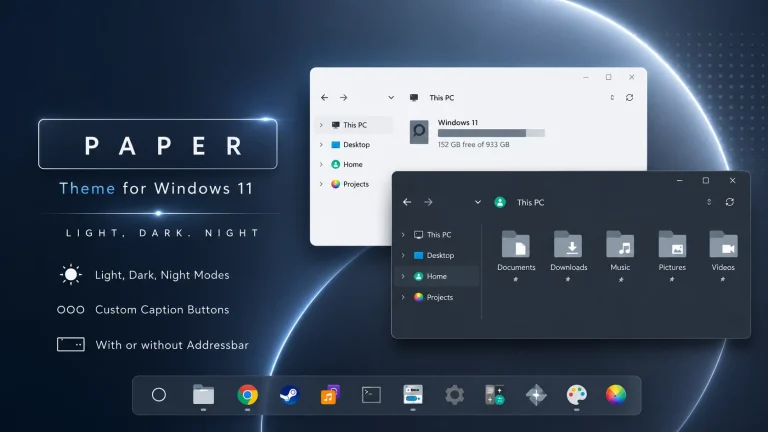
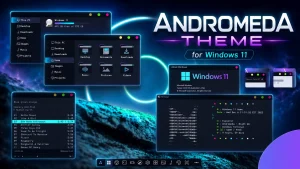
Andromeda Theme for Windows 11 is a custom desktop visual style created for users who want a clean, elegant, and modern Windows interface. It gives Windows 11 a more customized appearance by changing the visual style and making the desktop look more unique. The theme includes different style options such as light mode, dark mode, and night mode, so users can choose the version that matches their taste and working environment.
This theme is inspired by a smooth and modern Andromeda-style design. The overall look is simple but premium. It avoids unnecessary visual clutter and focuses on a neat desktop experience. For users who spend many hours on their computer, a comfortable and clean theme can make the desktop feel more enjoyable. The dark and night versions are especially useful for people who prefer a softer screen appearance during evening or late-night use.
The Andromeda Theme for Windows 11 is suitable for both casual users and desktop customization lovers. If you like to make your PC look different from the standard Windows design, this theme can help you create a more stylish and personal setup. It also works well for users who make YouTube desktop customization videos, screenshots, theme previews, or blog posts about Windows 11 customization.
Key Features of Andromeda Theme
The main reason many users like the Andromeda Theme for Windows 11 is its balanced design. It does not make the desktop too flashy, but it still gives Windows 11 a fresh and attractive look. The theme contains useful customization elements that help users build a complete desktop setup.
- Beautiful custom visual style for Windows 11
- Light, Dark, and Night mode options
- Clean and modern desktop appearance
- No Address Bar option included
- 7tsp icon packs for easier icon customization
- Custom foobar2000 skin included
- DaddyTimeMono font included
- SAB orb and style included
- Works well with minimal wallpapers and dark setups
- Suitable for futuristic Windows desktop customization
These features make Andromeda more than a basic Windows theme. It gives users several options to personalize the desktop and create a setup that feels more complete. The included icon packs and extra style elements help users match the visual style more easily, especially if they want a consistent look across the whole desktop.
Why Andromeda Theme Looks Good on Windows 11
Windows 11 has rounded corners, centered taskbar icons, and a softer design language. Because of this, modern custom themes can look very natural on the operating system. The Andromeda Theme for Windows 11 fits this design direction well. It improves the overall visual feeling without making Windows look too complex or difficult to use.
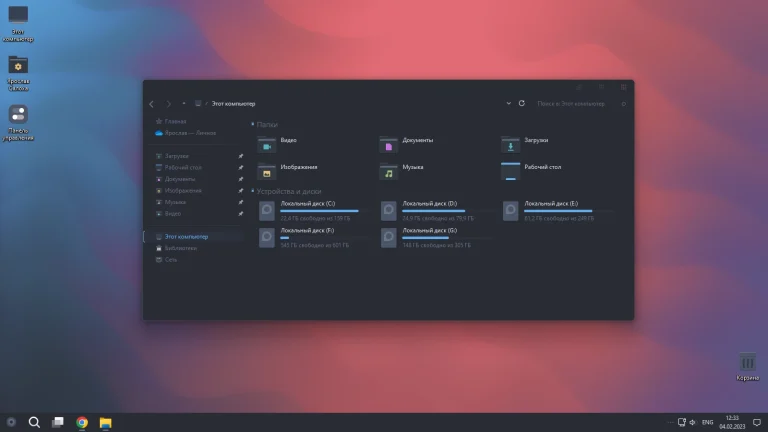
The dark version of Andromeda is a good option for users who like a premium and focused desktop setup. It can make the system feel more elegant, especially when used with a matching dark wallpaper. The light version is better for users who prefer a clean and bright interface. The night mode is useful for people who want something softer and more comfortable for long working sessions.
Another good thing about Andromeda is that it can blend well with different customization tools. For example, you can use Rainmeter widgets to add weather, clock, system monitor, or music widgets. You can use Windhawk to tweak parts of the Windows interface. You can also use 7tsp to apply matching icons. Together, these tools can turn a normal Windows 11 desktop into a stylish and personalized workspace.
Best Desktop Setup Ideas with Andromeda Theme
To get the best result from the Andromeda Theme for Windows 11, you should use a wallpaper that matches the theme style. A dark abstract wallpaper, space-inspired background, minimal gradient wallpaper, or clean geometric design can work very well. The goal is to keep the desktop visually balanced and not too crowded.
If you are using the dark or night version, try to use simple icons and fewer desktop shortcuts. Too many icons can reduce the clean look of the theme. You can keep important apps on the taskbar or use a dock-style launcher if you prefer a more minimal desktop. A small Rainmeter clock or system monitor can also make the setup look more complete without making it heavy.
For a light Andromeda setup, soft wallpapers and clean icon layouts work best. You can use light grey, white, blue, or soft purple backgrounds to create a calm desktop look. The theme can also be useful for productivity users who want their desktop to feel organized and professional.
Who Should Use Andromeda Theme?
The Andromeda Theme for Windows 11 is a good choice for anyone who wants a more beautiful Windows desktop. It is especially suitable for users who like clean design, dark mode, futuristic layouts, and modern Windows customization. If you are bored with the default Windows 11 look, this theme can give your PC a fresh appearance.
- Windows 11 customization lovers
- Users who like dark and night mode themes
- People who prefer clean and minimal desktops
- Rainmeter and Windhawk customization users
- Users who want a premium-looking Windows setup
- Content creators who make desktop customization videos
- Anyone who wants a fresh Windows 11 visual style
This theme is also useful if you enjoy experimenting with different desktop styles. You can keep the setup simple with only the visual theme and wallpaper, or you can build a more advanced customization using widgets, icon packs, taskbar tweaks, and audio player skins.
Recommended Tools for Andromeda Windows 11 Customization
To apply the Andromeda Theme for Windows 11 properly, you may need some common Windows customization tools. These tools help you apply custom visual styles, change icons, add widgets, and improve the overall desktop look. Always download tools from trusted sources and follow the installation instructions carefully.
- SecureUxTheme or another trusted theme patcher for custom Windows themes
- 7tsp for applying icon packs
- Rainmeter for desktop widgets and skins
- Windhawk for Windows UI tweaks and customization
- Custom wallpapers to match the Andromeda visual style
- foobar2000 if you want to use the included music player skin
You do not need to use every tool at the same time. If you want a simple setup, you can apply the visual style and use a matching wallpaper. If you want a more complete desktop transformation, you can add icons, widgets, and Windows interface tweaks. The best setup depends on your personal style and how much customization you want.
How to Install Andromeda Theme on Windows 11
Installing a custom Windows theme is not the same as changing a normal wallpaper. You should follow the steps carefully because custom themes may require a theme patcher and may modify the appearance of system elements. Before installing the Andromeda Theme for Windows 11, it is strongly recommended to create a system restore point.
- Download the Andromeda theme files from the source page.
- Extract the downloaded file using a trusted archive tool.
- Create a system restore point before applying any third-party theme.
- Install a trusted Windows theme patching tool if the theme requires it.
- Copy the theme files to the Windows themes folder.
- Open Windows Personalization settings and apply the theme.
- Use 7tsp if you want to install the included icon pack.
- Apply the included font and extra style elements if needed.
- Restart your computer if the theme does not fully apply at first.
Safety Tips Before Using a Custom Windows Theme
Desktop customization is fun, but safety is also important. Before installing the Andromeda Theme for Windows 11, make sure your system is ready. A restore point can help you return to the previous state if something does not work as expected. You should also avoid downloading modified theme files from unknown sources because they may include unwanted files.
It is also a good idea to close unnecessary apps before applying a new theme. If you use an antivirus program, keep it enabled. After installing the theme, check your desktop, File Explorer, taskbar, icons, and system windows to make sure everything looks normal. If any visual issue appears, you can switch back to the default Windows theme from Personalization settings.
If you are new to Windows customization, start with a basic setup first. Apply the theme and wallpaper, then add icons or widgets later. This makes it easier to find the cause if something does not work correctly. A clean and careful installation is always better than applying too many changes at once.
Andromeda Theme with Rainmeter and Windhawk
The Andromeda Theme for Windows 11 can look even better when combined with Rainmeter and Windhawk. Rainmeter allows you to add useful desktop widgets such as clocks, weather panels, music players, system monitors, and minimal launchers. These widgets can make your desktop more useful and visually attractive.
Windhawk can help you customize different parts of the Windows interface. For example, you may use it to tweak the taskbar, start menu, or window behavior depending on the available mods. When used carefully, Windhawk can make the Andromeda setup feel more polished and personal.
However, you should keep the setup balanced. Too many widgets or tweaks can make the desktop look messy and may increase system resource usage. A simple Rainmeter clock, a clean music widget, and a matching wallpaper are often enough to create a beautiful Andromeda Windows 11 desktop setup.
Performance and User Experience
A good desktop theme should not only look beautiful but also feel comfortable to use. The Andromeda Theme for Windows 11 is designed with a clean and minimal style, so it can give your desktop a modern appearance without making the layout confusing. The theme is best used with a simple icon arrangement and a wallpaper that does not distract from daily work.
Performance can depend on your full customization setup. The theme itself is only one part of the experience. If you add many widgets, heavy animations, background tools, or multiple customization apps, your system may use more resources. For the smoothest experience, keep only the tools you really need and avoid unnecessary startup apps.
For most users, a clean Andromeda setup with matching icons and a lightweight Rainmeter skin should feel smooth. If you notice slow performance, try disabling extra widgets or returning some Windows settings to default. A good Windows customization setup should look nice and remain practical for everyday use.
Download Andromeda Theme for Windows 11
You can download the Andromeda Theme for Windows 11 from the source page below. Before installing it, read the documentation included with the theme package. This will help you understand the required tools, installation steps, and any additional files included with the theme.
Final Thoughts
The Andromeda Theme for Windows 11 is a stylish and modern option for users who want to refresh their Windows desktop. It offers light, dark, and night style options, making it suitable for different moods and desktop preferences. The design feels clean, minimal, and premium, which makes it a good choice for anyone who enjoys Windows 11 customization.
If you want a simple setup, use Andromeda with a matching wallpaper and clean icons. If you want a more complete customization, combine it with Rainmeter widgets, Windhawk tweaks, 7tsp icon packs, and a minimal desktop layout. With the right combination, the Andromeda Windows 11 theme can turn your normal desktop into a beautiful and personal workspace.
Overall, Andromeda is worth trying if you want a clean, dark, light, or night-style Windows 11 desktop setup. It gives your PC a fresh appearance while still keeping the interface simple and easy to use.